Filter quick facts
- Configurable to pass one pixel type, or everything except one
- Acts like a normal Conveyor Belt for every other pixel
- Lets liquids and gases pass through, but blocks the player
- Allowed pixels fall straight down through it
Quick answer: a Filter is a Conveyor Belt that can be configured either to let one chosen pixel fall straight down, or to let everything fall except one chosen pixel. Pixels outside the rule keep moving forward like a normal Belt. Liquids and gases pass through, so Filters sort solids best when the drop space is clear and Water is not crossing the line.
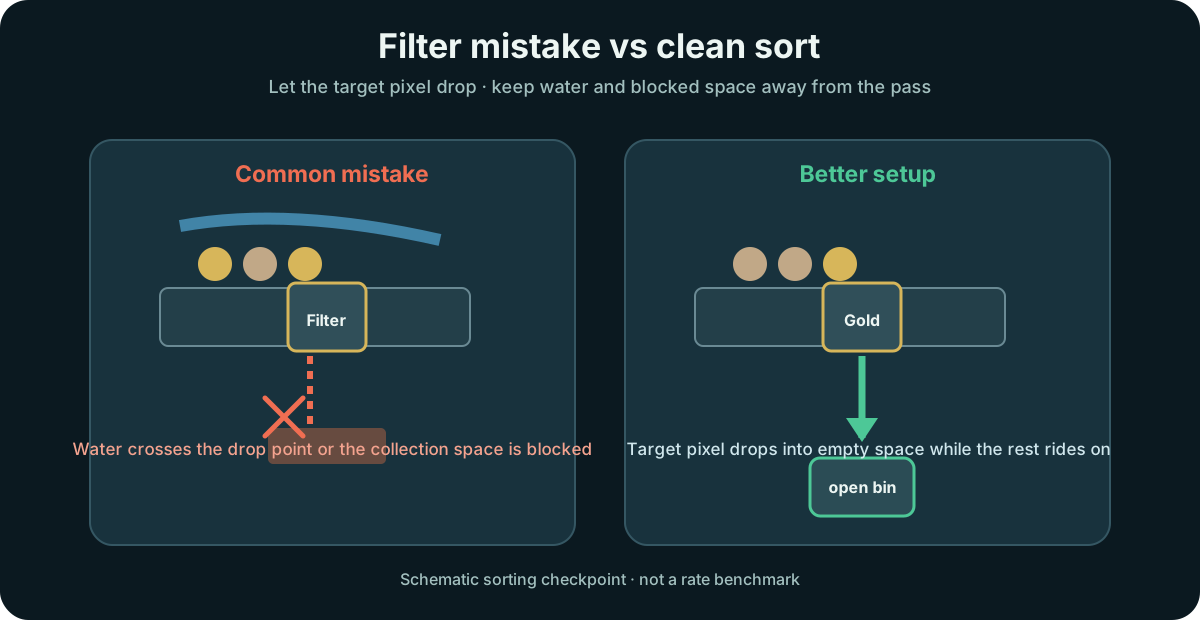
Sorting is only half configuration. The other half is density, because a Filter drops pixels downward and a crowded pile does not always cooperate.
Configure the Filter to drop only a chosen pixel, or to drop everything but a chosen pixel. For any pixel outside that rule, the Filter carries it onward exactly like the Belt it replaced.
Checkpoint: the rule you set matches the pixel you want separated.
Heavy pixels settle at the bottom of a pile, so they are the ones a Filter can pull cleanly. To split Gold out of Sand, allow Gold through — once the pile has settled, Gold is the layer that should sit nearest the Belt.
Checkpoint: the densest pixel lines up nearest the Belt and drops through.
A Filter does not block liquids, so Water can flow through while solids are dropping. If it touches Sand or Seeds mid-fall it wets them, changes their type, and jams the machine.
Checkpoint: no Water crosses the Filter while pixels fall.
Put a solid block right below a Filter and pixels enter with no way out. Trap Cinders this way, ignite them into contained Lava, then run Residue over the top for a compact auto-burner.
Checkpoint: Cinders stay trapped under the Filter and ignite on demand.
A Filter usually fails because the rule is wrong, the pile order fights density, or the falling pixel changes type on the way through.
| Symptom | Likely cause | Fix |
|---|---|---|
| Target material rides past the Filter | The mode is set backward: allow one vs exclude one. | Recheck the rule before rebuilding the belt line. |
| Nothing drops from a mixed pile | The target pixel is lighter than the layer beneath it. | Filter the densest material first, especially for Gold sorting. |
| One pixel is stuck inside the Filter | An allowed pixel changed into a disallowed one while falling through. | Remove the stuck pixel by hand and keep Water away from Sand or Seeds at the drop point. |
| The drop-through exit clogs immediately | There is no clear space below the Filter. | Open the exit below or use the blockage deliberately only for a Cinder trap. |
| Water keeps crossing the sort point | Filters do not block liquids, so Water is part of the route whether you wanted it or not. | Route Water around the Filter or move the sort point away from the wet line. |
Use Filters where one stream needs to split cleanly; avoid using them as generic Belt decoration.
When a stream contains Gold and lighter material, set the Filter for the pixel you want to remove and give the drop point empty space.
Review Gold flowSorting matters most when a byproduct can bury the useful output or redirect flow into a dead end.
Fix Residue backupIf a material rides past the Filter, confirm whether the current mode means allow one type or exclude one type.
Open conveyor diagnosticsThey behave like Belts for most pixels, but configured pixels fall straight down through the Filter instead of being carried onward.
The official Filter page says Filters do not block liquids or gases. That means Water crosses the sort point unless you route it elsewhere.
Source note: This recommendation is source-based, not an independently benchmarked build.
Official source